YouTube Channel
|
YouTube is a global, video sharing website which users can share, upload and view videos from all around the world. It is an incredible social resource in the fact it can be used anywhere/anytime around the globe as long as you have access to the internet. At your very fingertips you have access to view anything your heart desires or brain enquires about. When viewing the YouTube homepage you can browse and find absolutely anything you are searching for whether it is for educational or entertainment purposes. Not only is YouTube a huge entertainment website, you also have access to past and recent current affairs, all events in history, blogs or personal pages, information on all aspects of learning and you must get my drift... YouTube has endless possibilities as there are new videos getting uploaded every minute in fact "one hour of video is uploaded to YouTube every second"(YouTube 2012).
The link below and the video above is a wonderful video created by VideoTrafficAcademy which was uploaded to YouTube. It educates and reveals some of the impressive Youtube Statistics. It's worth the watch. http://www.youtube.com/watch?v=ZuY_EzTonDc
YouTube Account
If you are interested in creating an account or channel on YouTube please follow these instructions on how to do so.
From you internet homepage please put in www.youtube.com into your browser. This is the YouTube homepage where you will create your account or log on to an existing account.
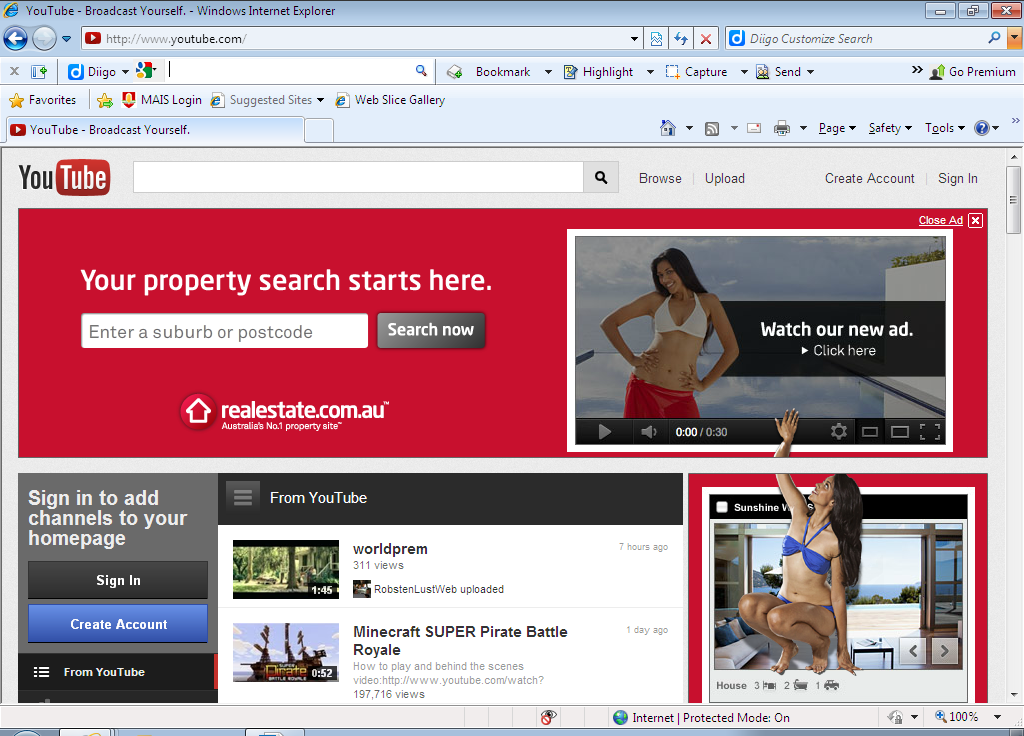
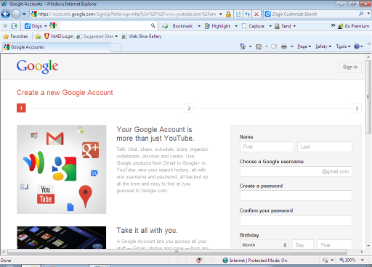
Once on the YouTube Homepage on the left hand side of the screen the will be a blue icon that says “Create Account” click on this. This will take you to a “Create a new Google Account” screen. If you already have an existing Google Account please just click the “Sign In” icon at the top, right hand side of the page. If you do not have a Google Account please follow the steps on this screen and set up an account.
 | 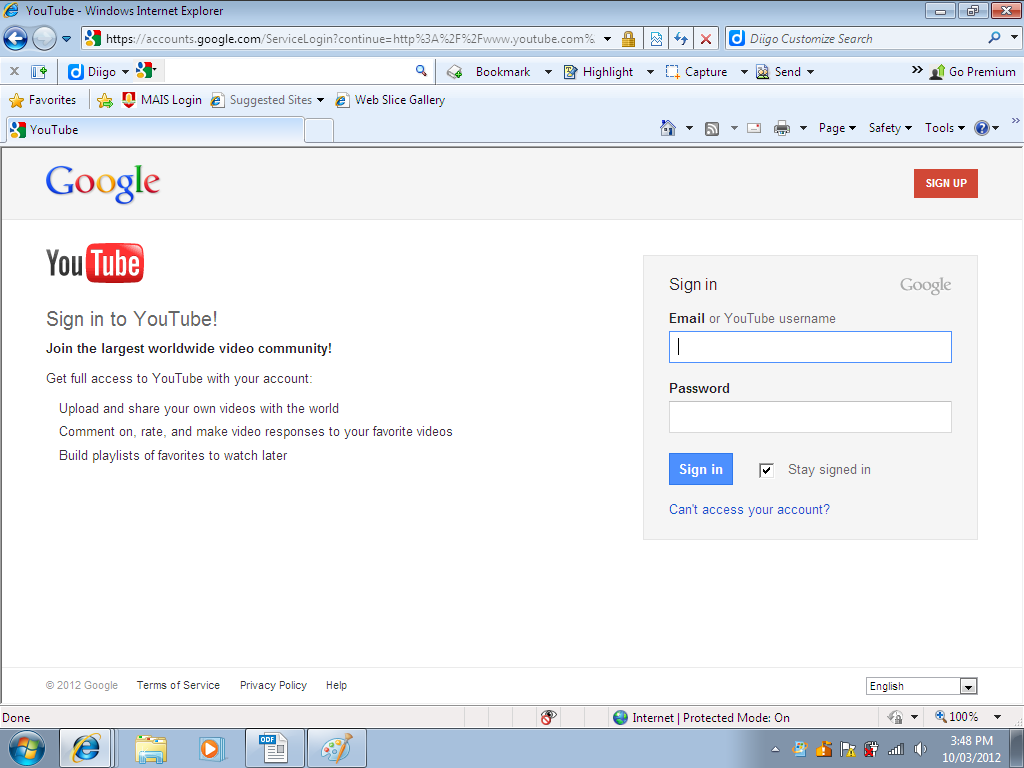 |
Once you are signed in to your “Google Account” you will be taken to your Google Inbox view screen. At the top of this screen on the black “Gmail” toolbar please find the “YouTube” option and click on it. This will take you to your YouTube account announcing you are registered and logged into the site.
|
|


Following the previous step, on the left hand side near the top of the page is a blue “Home” icon. Click on this and it will take you back to the YouTube Homepage where you can start searching for videos. You can also start browsing channels by selecting the blue “Browse channels” icon on the left hand side.

YouTube Channel
By having a YouTube account you may also want to create yourself a YouTube channel. You may want to do this if you have a interest, hobby, or you may just want to upload your own videos to be viewed. Once you are logged into your Youtube account you can set up a YouTube Channel by clicking on the “My channel” option next to your avatar.This will take you to the YouTube username and channel set up page. Choose the username you desire for your channel and check for availability. Once you have confirmed username press next!
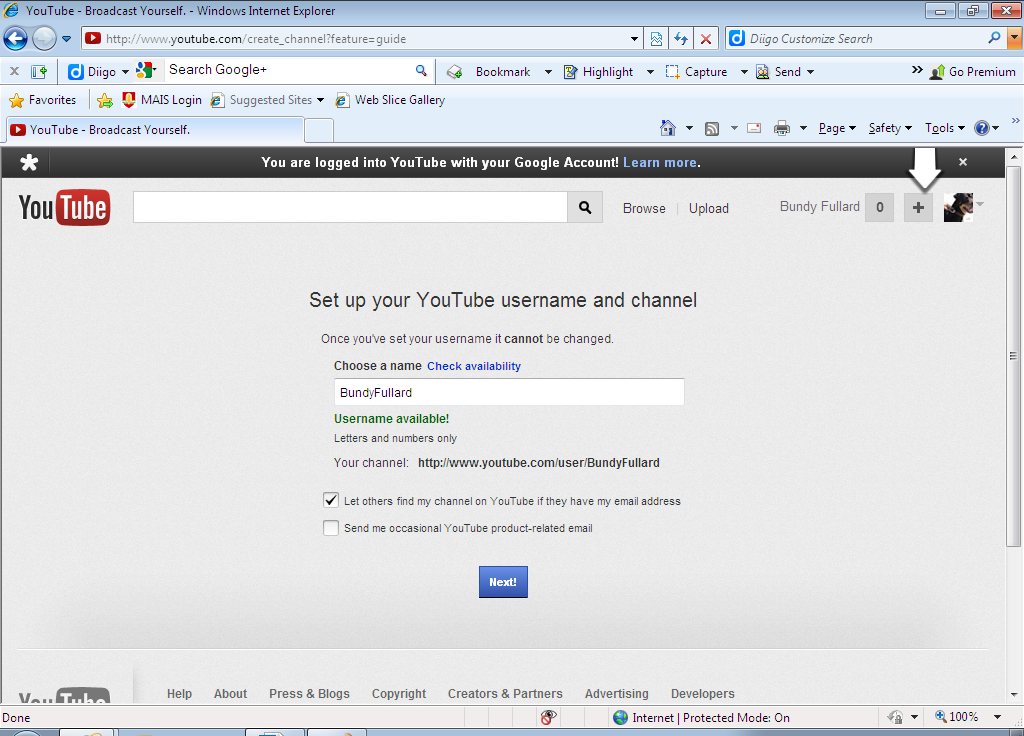
Then choose your privacy and sharing settings, click the blue “All Done” icon and you are literally are all done! You now have your very own YouTube Channel to edit and design as you wish.
| |

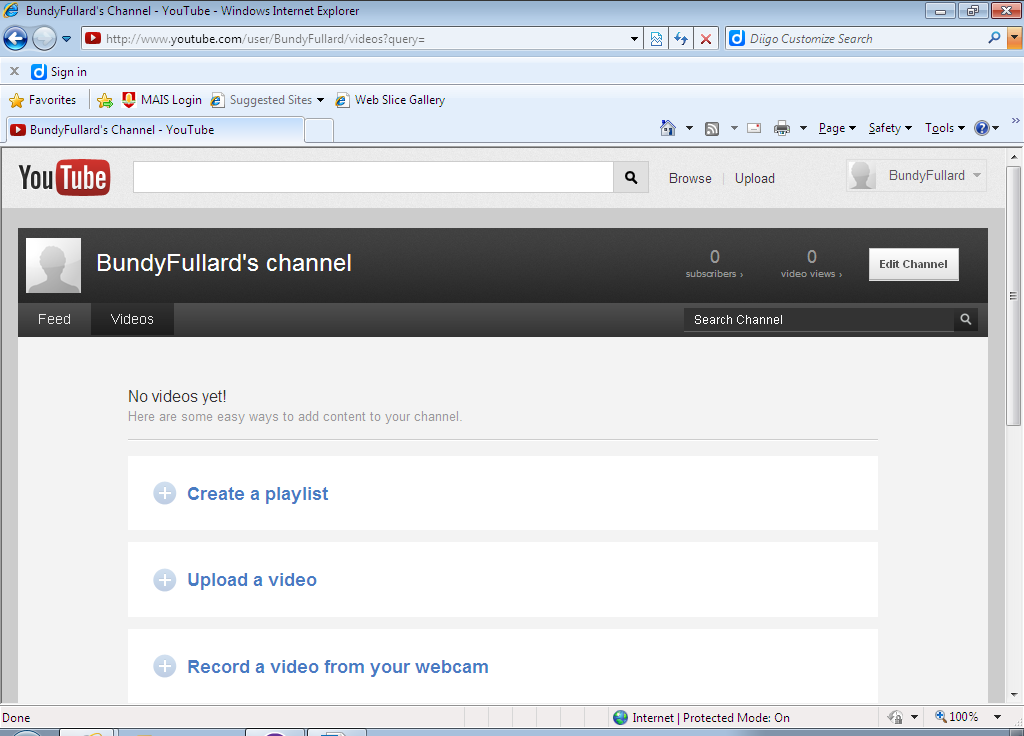
Updating and Editing your YouTube Channel
From your YouTube channel page you can update, edit, upload videos, search and subscribe to channels and also view and link videos to your channel. I have set up an example channel for you to view and explore. At home I have a dog named Bundy and he is a Rottweiler. I have dedicated my recently created YouTube channel to everything there is to know about the Rottweiler dog breed and this will be the theme of the channel. I will now show you how to link videos to your channel. I have placed in the YouTube search box the word 'rottweiler' and pressed the magnify glass icon. This search has come up with about 56,500 results so if something more specific is needed please define your search with extra or exact wording on the subject.
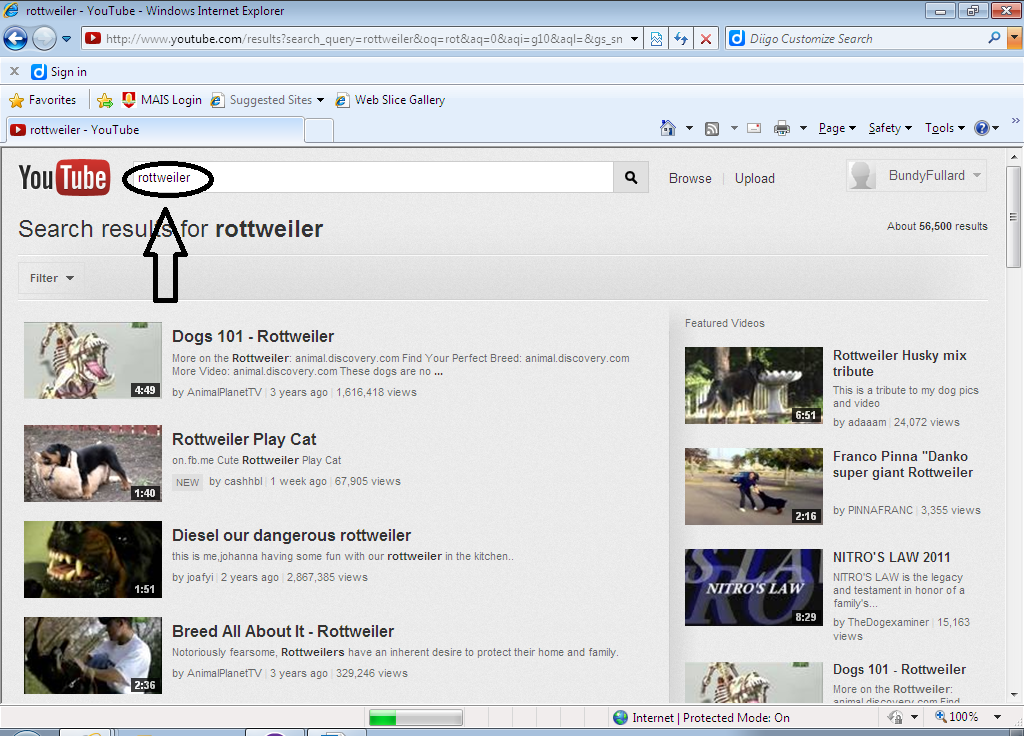
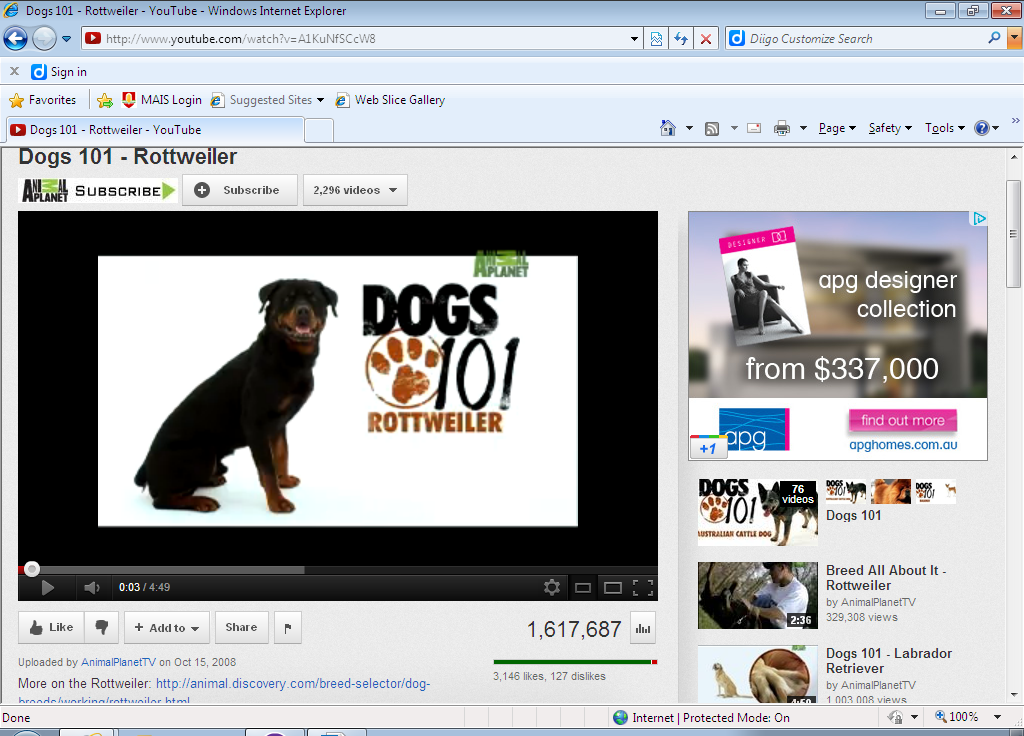
Here I can choose any video of my choice to store on my channel. The video will be stored in a playlist which I can choose to name. There can be so many aspects to rottweilers or on any subject you select so you will need to think about storing related videos correctly. I have choose the first option on the list the video “Dogs 101 – Rottweiler” by Animal Planet TV to store on my channel. I do this by clicking on Dogs 101 – Rottweiler which takes me to the video viewing screen. I store this by clicking on the “Add To” icon below the video screen. I will save this video to “my favourites” which is a playlist within your nominated channel.
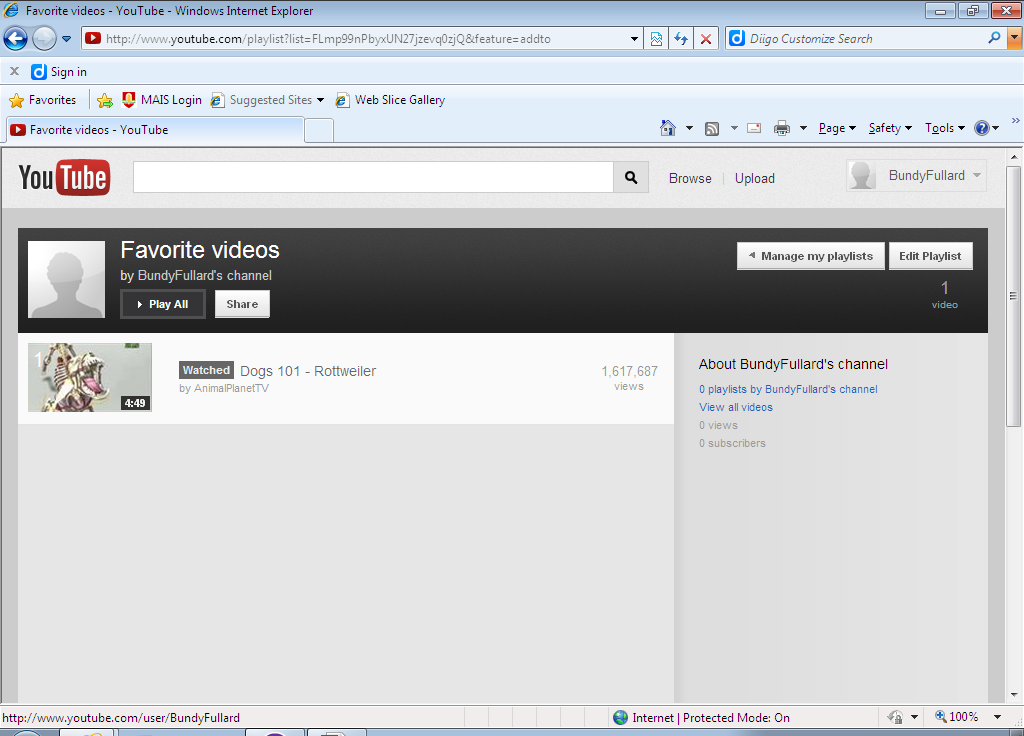
By clicking on the “Favourites” option, this will take you directly to your favourite videos which you have stored within your channel. Now you will have a base point to build and add resources to your channel. Have fun searching the millions of videos available at your fingertips and edit your YouTube channel accordingly.
Feel free to view my YouTube channel - 'Bundy Fullard's Channel' (which is my dog) by clicking the link.
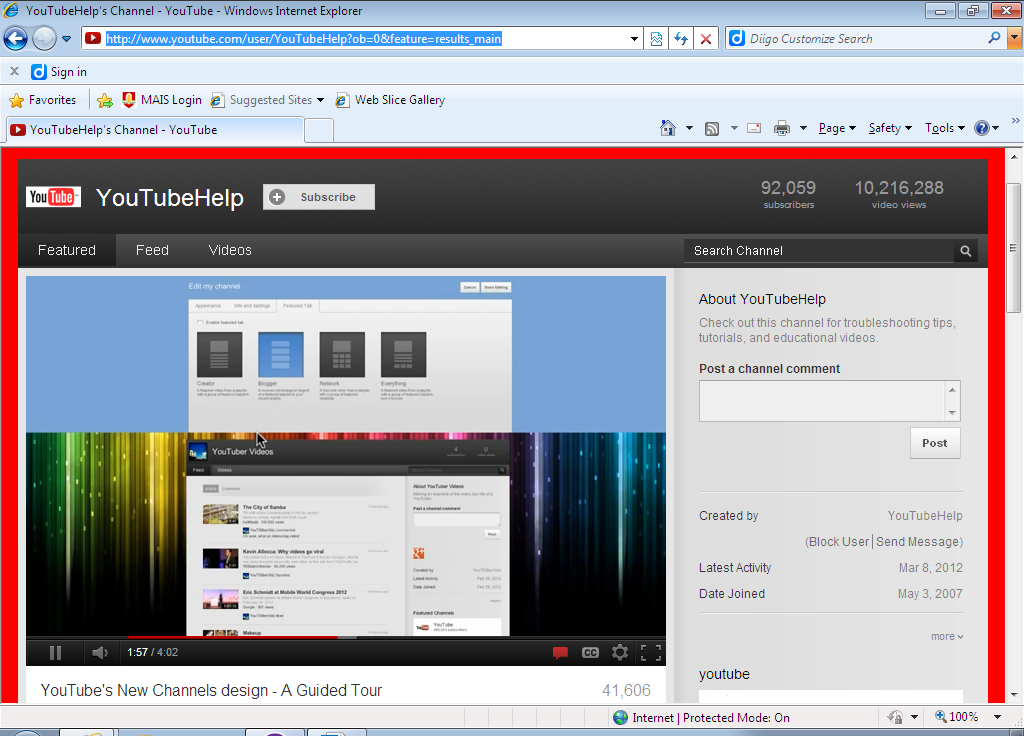
The great thing with YouTube also is that there are videos if you need any further help or assistance. Just type into the YouTube search engine your enquiry and I guarantee what ever you need there will be a video for it! Otherwise please visit http://www.youtube.com/user/YouTubeHelp?ob=0&feature=results_main which provides you a guided tour of YouTube. Enjoy and explore all YouTube has to offer as it is a wonderful, exciting and extremely educational technology.
If you are intrested in more YouTube statistics please visit the link below.
